The Consequences of Defying Gravity

The Consequences of Defying Gravity

The Consequences of Defying Gravity

Media

ArtStudio Pro, Adobe Illustrator

Target Audience

Science-interested general audience

Client

Jodie Jenkinson

Context

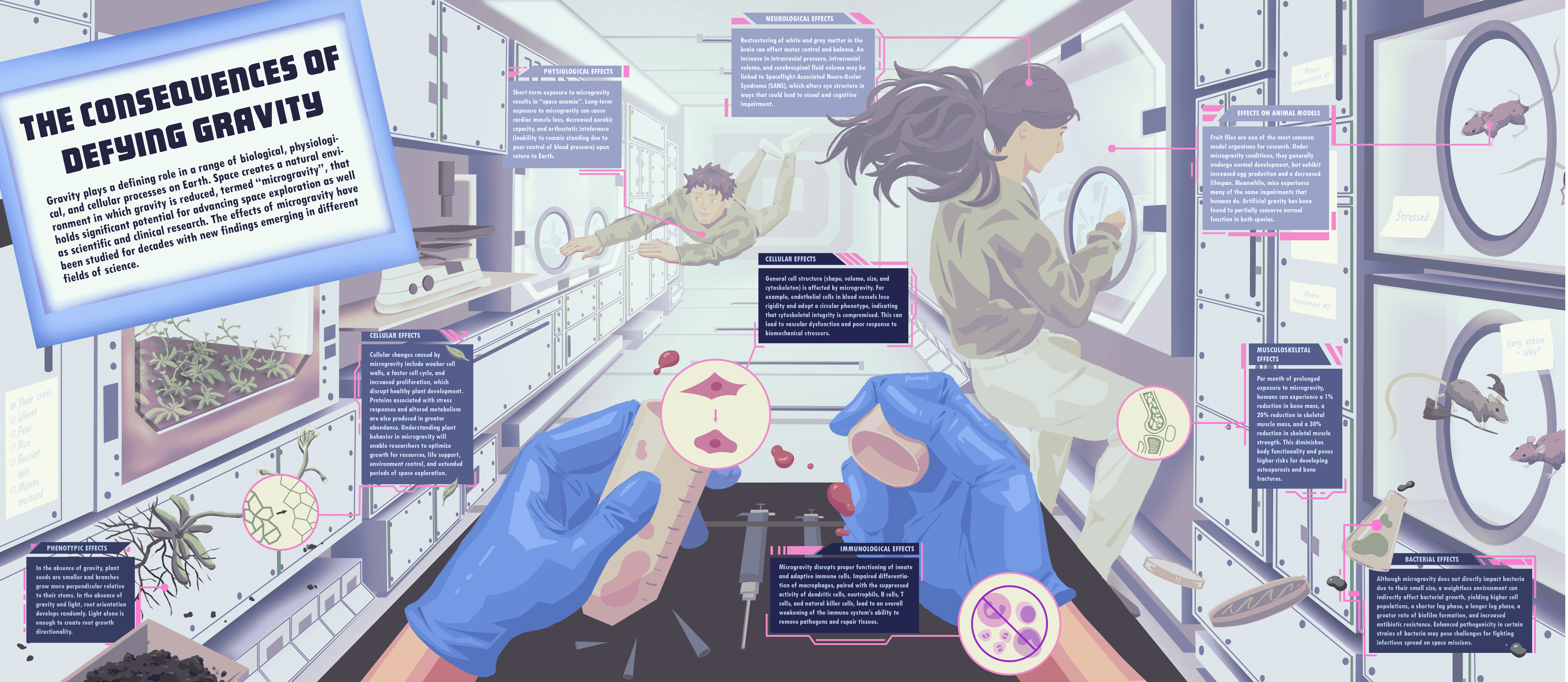
For this infographic, I wanted to visualize the different biological, cellular, and physiological responses to microgravity. The purpose of this visualization was to educate the audience on how space affects living organisms on Earth. Fun fact: this project was finalized around the time that both Project Hail Mary was released and the Artemis II launch occurred, which was a lucky coincidence!

Process

I created two conceptual thumbnails for this topic, shown below:
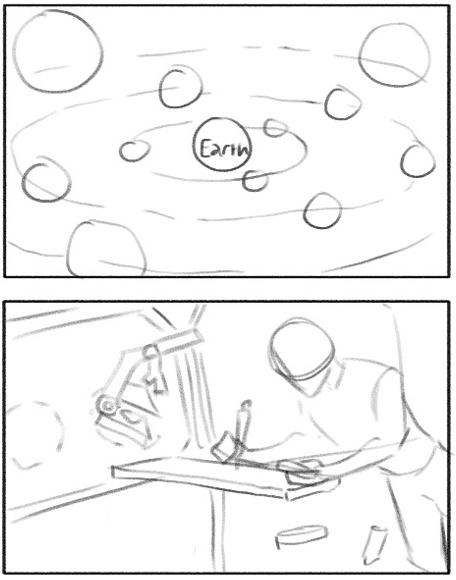

The top one depicted a scene in space where moon- or planet-shaped callouts of different sizes would orbit the Earth, containing 2D illustrations of the effects of microgravity on multiple biological specimens. The bottom one depicted a scene in a laboratory on a space station, with objects floating midair around a scientist conducting research. I decided that the bottom one would produce more visual interest for an infographic and provide more flexibility for the design, so I honed in on this concept to create more detailed thumbnails. At this point, I prioritized layout and did not concern myself with the content of the text callouts. The detailed thumbnails can be seen below.
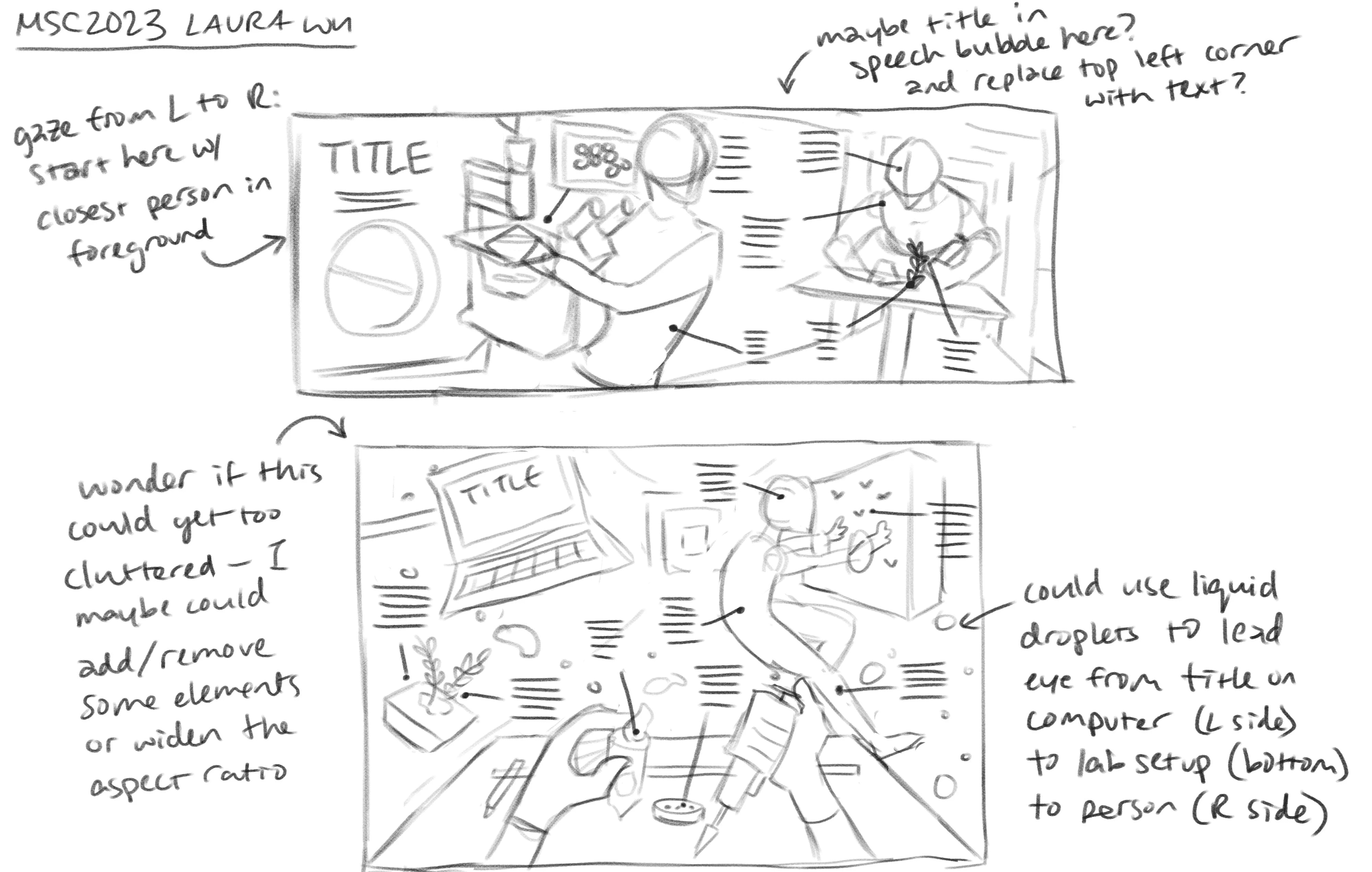

For my first detailed thumbnail, I started with a long, horizontal spread. My goal was to ensure that the audience would read this infographic from left to right, so I placed the title on the left side of the page and ensured that elements were organized with depth in mind towards the right side of the page. I assumed that including faces in this design would attract the viewers’ attention first, which is informed my decision to illustrate the characters as if they were communicating with each other.


For my second detailed thumbnail, I set up a one-point perspective view from the eyes of a scientist in the space station. I arranged several foreground and background elements to reduce the amount of negative space in the scene. I preferred this concept to the first detailed thumbnail because it felt more dynamic and natural. However, I lacked a definitive method to effectively lead the viewer’s eye across the page due to the number of cluttered elements present in the foreground. I thought I could use suspended liquid droplets as a way to introduce a left-to-right viewing flow. Ultimately, after receiving feedback from my professor, I decided to proceed with this concept.

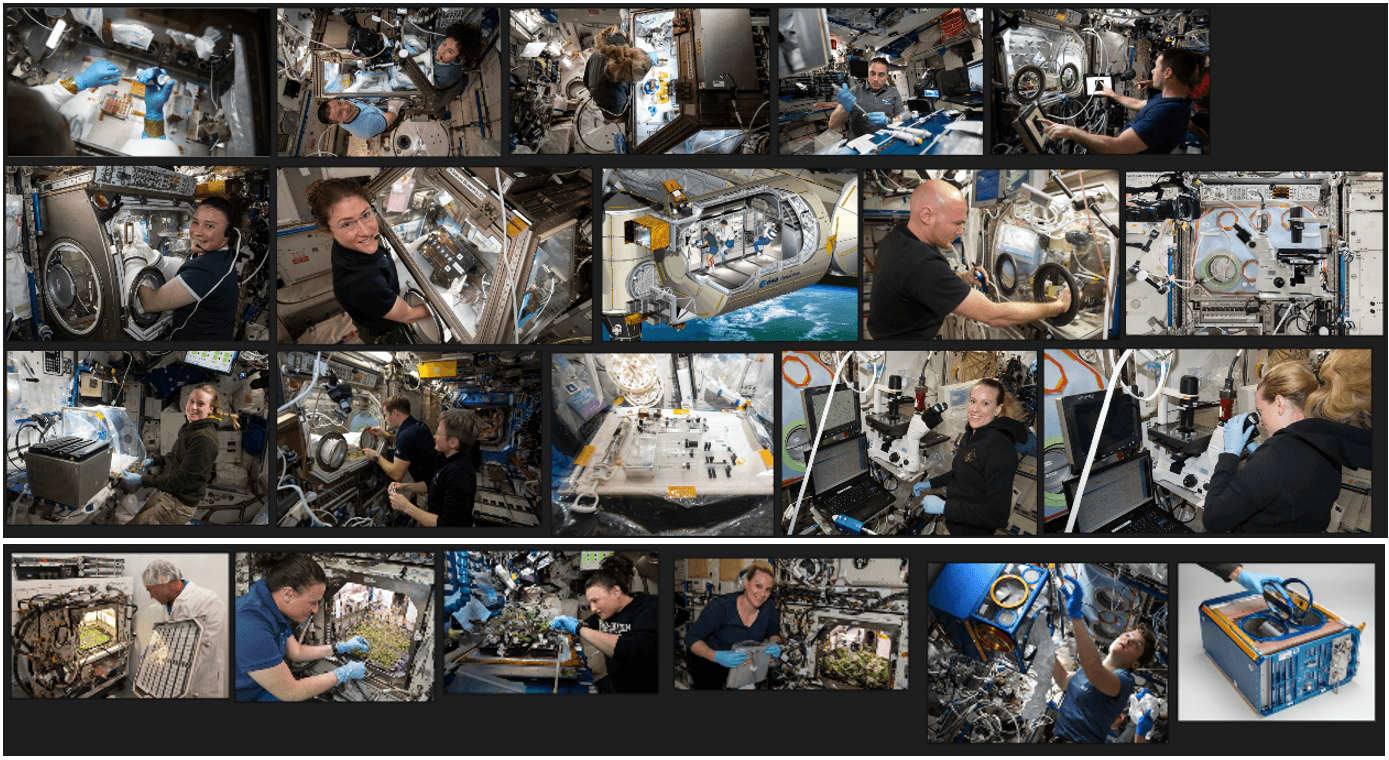
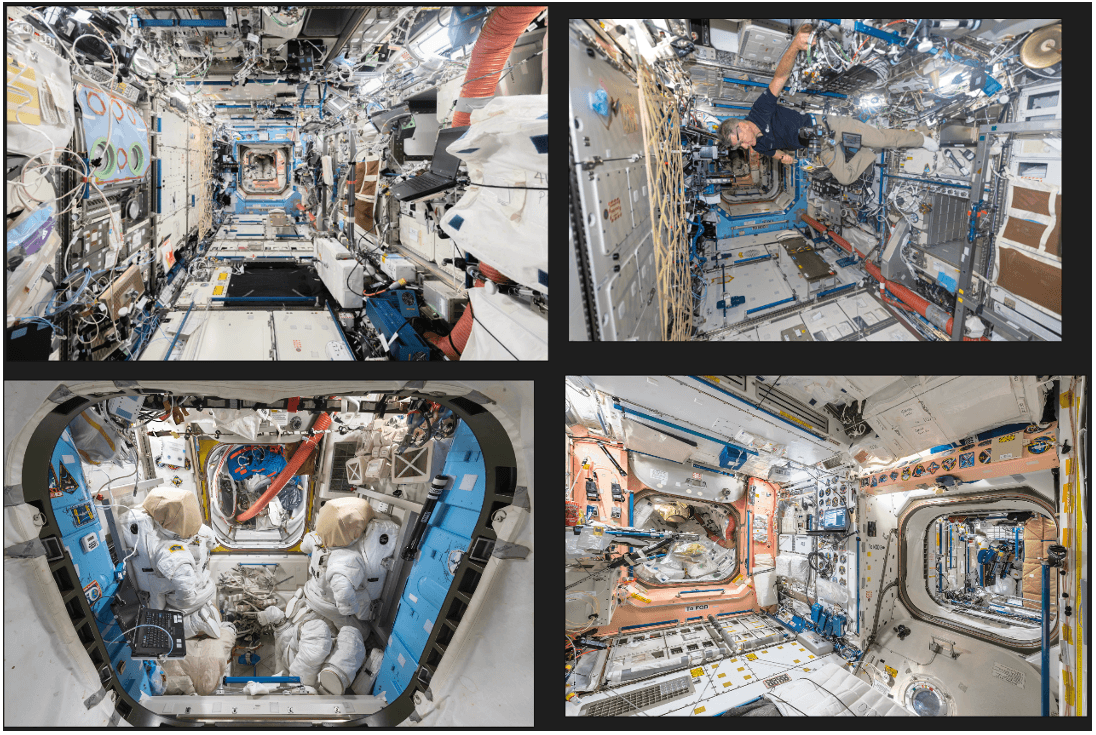
I collected as many visual references as I could find from photographs taken on real space stations, including space labs, cultivated plants, astronauts, and equipment. All of my reference images were gathered in PureRef, a free desktop program intended for storing references on a mood board. Below are the references that I used to design the environment of the sketch:
I researched and sketched the layout concurrently because I found it easier to organize all of the content once I knew the information that I was going to include. Much research about the effects of microgravity has already been published; therefore, I categorized the data into four broad subjects: effects on plants, animals, humans, and bacteria, which I felt provided a sufficient overview of this topic. While researching, I noticed that I would need to condense a large amount of data into minimal text in order to fit spatially on the infographic. I decided that the target audience would be science-oriented, meaning that they would be familiar with scientific terms but not require knowledge of complex jargon specific to different fields.


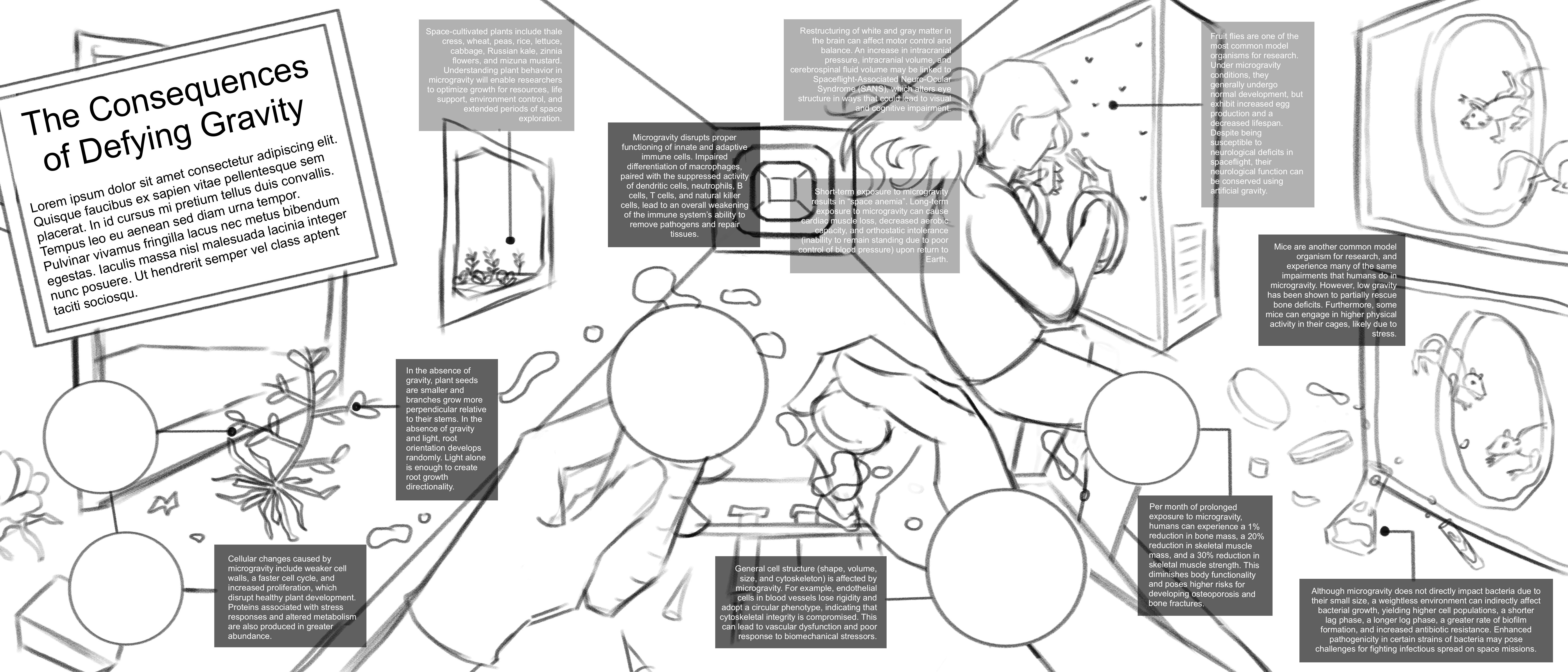
I produced a rough draft that fleshed out my detailed thumbnail. One of the most challenging aspects of this design was finding a way to ‘de-clutter the clutter’ – I found that my eye jumped all over the page for this sketch and did not follow a particular reading order, which I had originally intended with the use of liquid droplets:

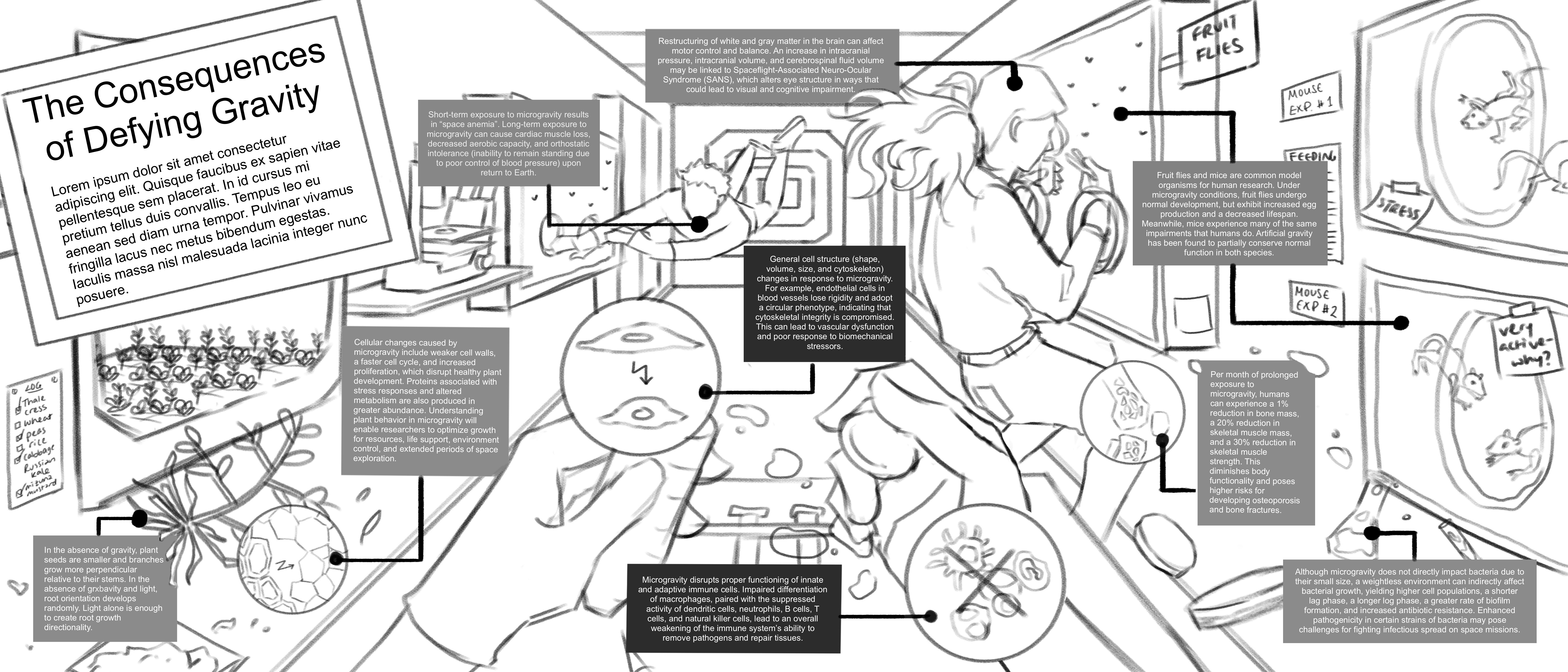
The feedback that I received for this draft helped me refine the hierarchy of elements across the page. When I created the second iteration of my sketch, I emphasized the central area with the hands by leaving the related callouts a dark value (indicating foreground) while the remaining callouts were lighter in value (indicating background). I rearranged elements into inner and outer arcs and condensed the text even more, ending up with 9 callouts instead of my original 11. The resulting draft can be seen below:

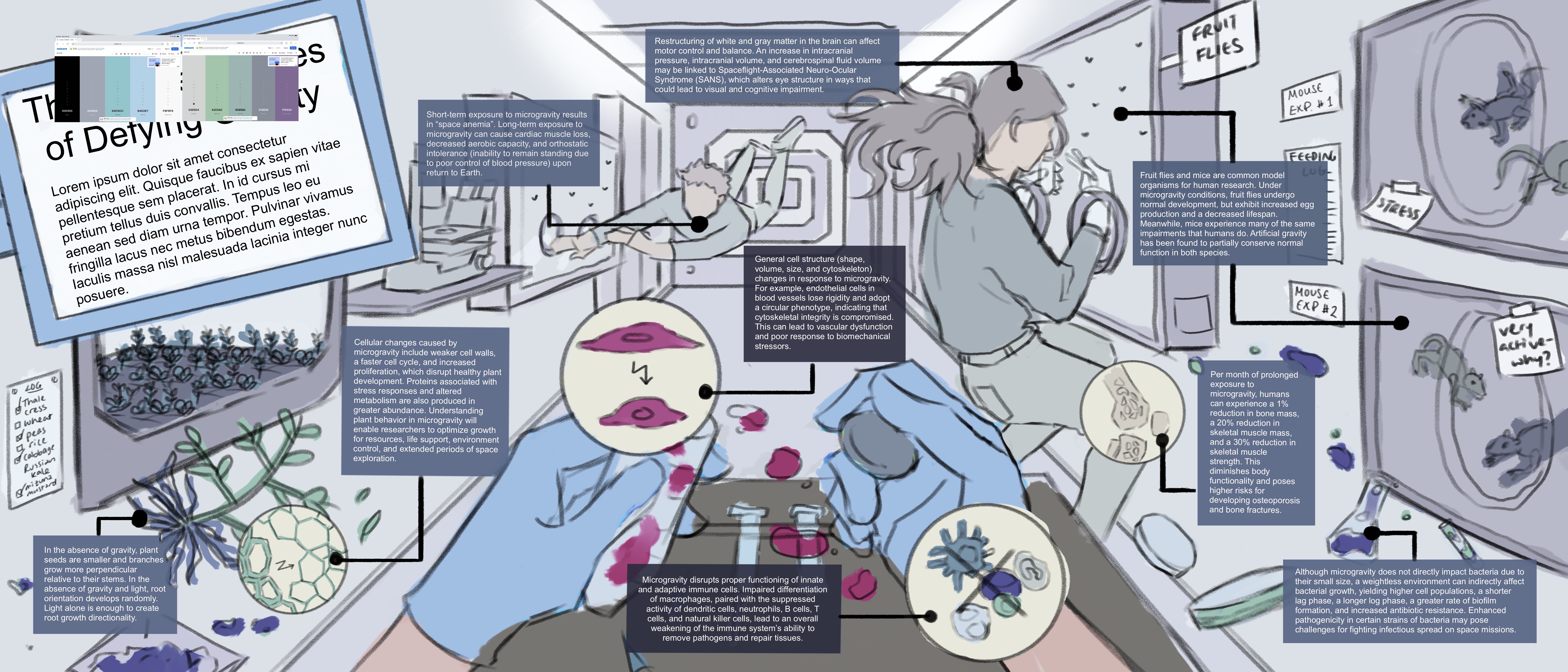
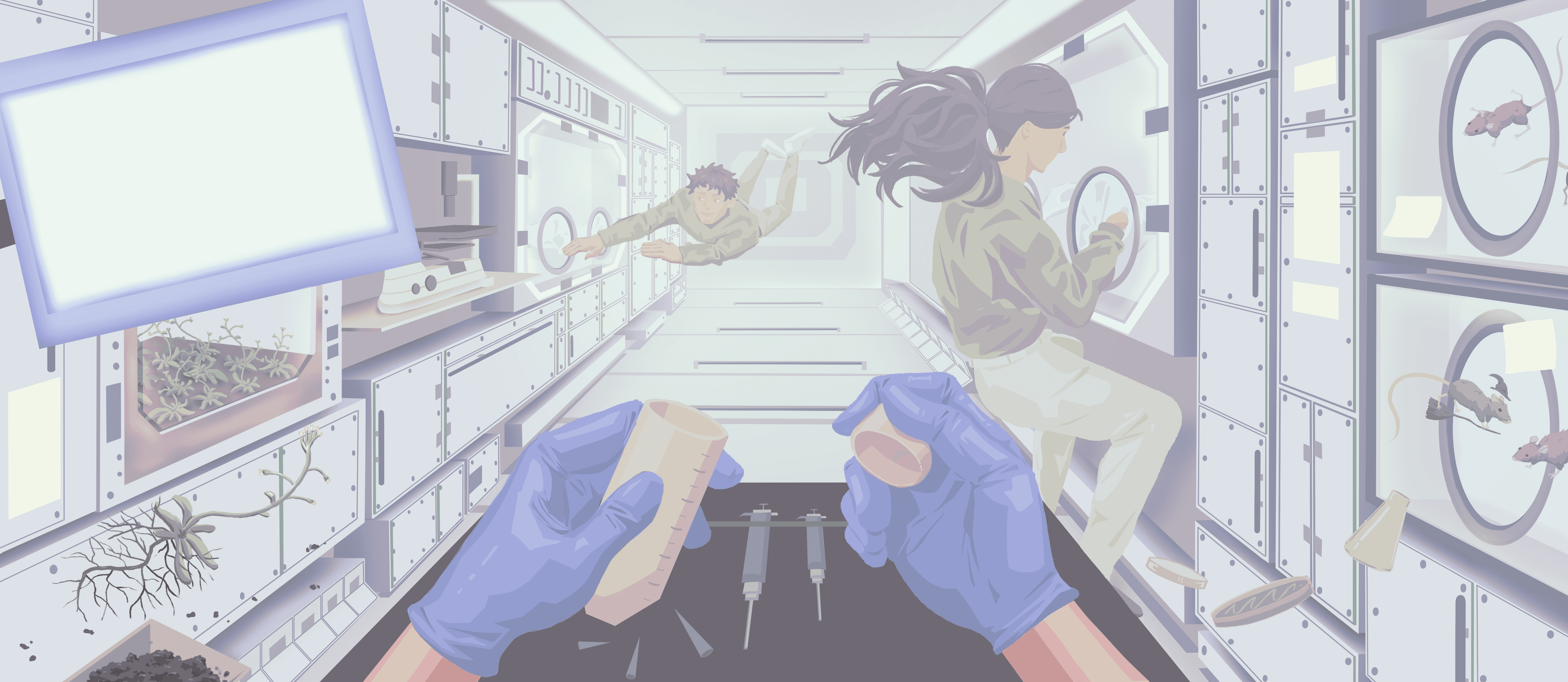
I then blocked in a rough color scheme for the entire piece. I aimed to use a cooler, desaturated palette to indicate a sterile and scientific environment.

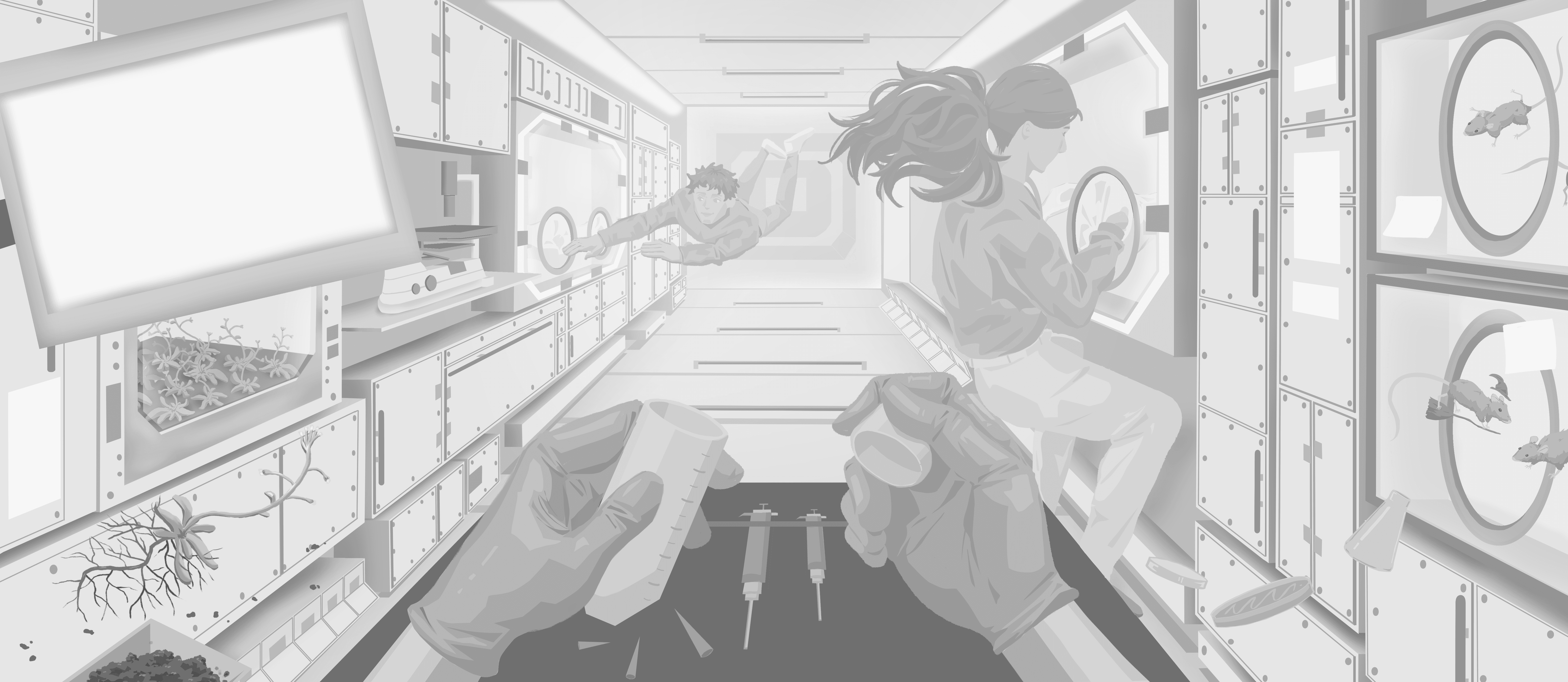
I rendered this piece first in grayscale to establish appropriate relative values before colorizing it afterwards.
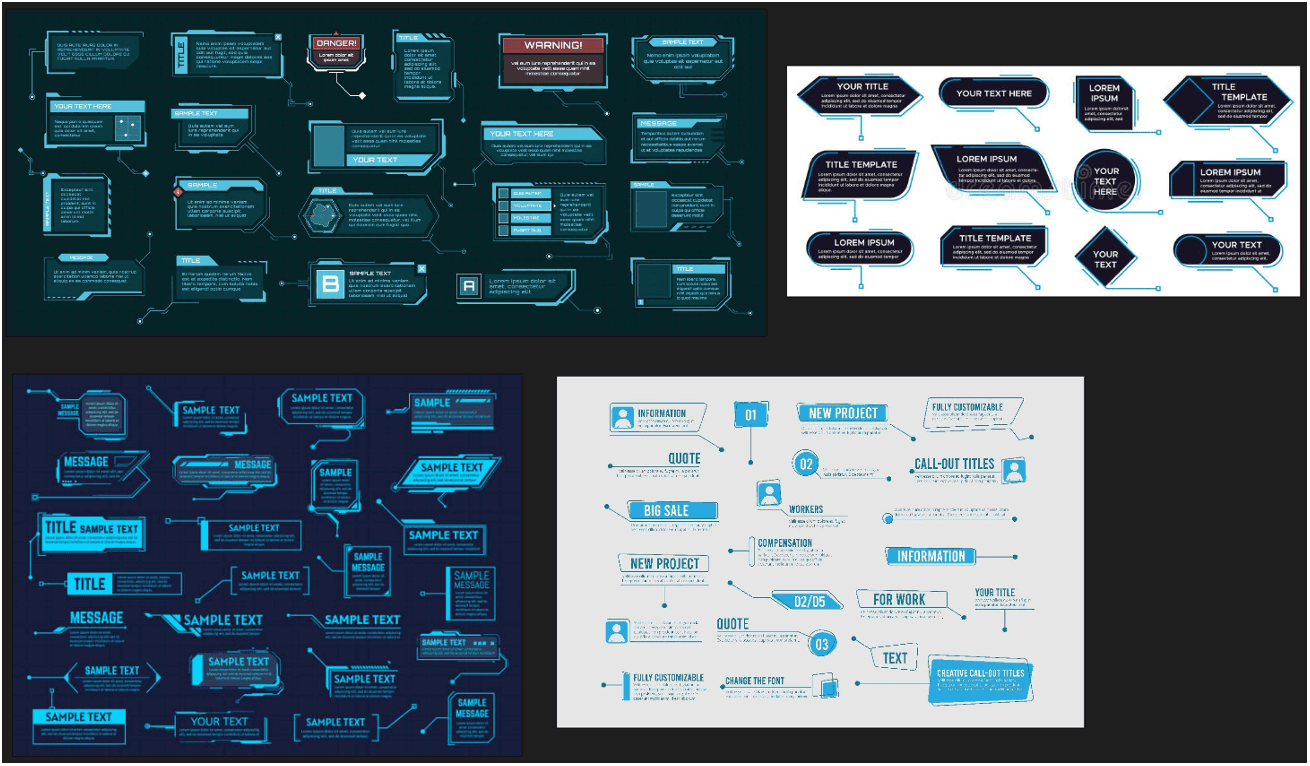
To create the callouts, labels, and text, I imported the image into Adobe Illustrator. I wanted the text callouts to follow a futuristic and digital theme, as often associated with space-related media, similar to the reference images below:

My final touches included adding floating elements. Taken altogether, my final piece can be viewed below:
References

  1. Akst, J. (2014, August 21). Lab Versus House Mouse. The Scientist. Retrieved February 28, 2026, from https://www.the-scientist.com/lab-versus-house-mouse-36976

  2. Animal tissues. Blood. Atlas of Plant and Animal Histology. (n.d.). Retrieved February 12, 2026, from https://mmegias.webs.uvigo.es/02-english/guiada_a_sanguineo.php

  3. Arjmand, F., Taherkhani, S., Shahrezaei, A., Sohani, M., Esfahani, S. S., Marjaei, S., & Nasirinezhad, F. (2025). Neural changes in microgravity: Investigating the effects of aerospace environments. IBRO Neuroscience Reports, 19, 973–980. https://doi.org/10.1016/j.ibneur.2025.11.011

  4. Benoit, M. R., & Klaus, D. M. (2007). Microgravity, bacteria, and the influence of motility. Advances in Space Research, 39(7), 1225–1232. https://doi.org/10.1016/j.asr.2006.10.009

  5. BioServe Microscope. (n.d.). ISS National Lab. Retrieved January 31, 2026, from https://issnationallab.org/facilities/bioserve-microscope/

  6. Boucher, M. (2020, August 8). NASA Space Station On-Orbit Status 6 August, 2020—Working in the Kibo Laboratory. SpaceRef. https://spaceref.com/space-stations/nasa-space-station-on-orbit-status-6-august-2020-working-in-the-kibo-laboratory/

  7. Bradbury, P., Wu, H., Choi, J. U., Rowan, A. E., Zhang, H., Poole, K., Lauko, J., & Chou, J. (2020). Modeling the Impact of Microgravity at the Cellular Level: Implications for Human Disease. Frontiers in Cell and Developmental Biology, 8. https://doi.org/10.3389/fcell.2020.00096

  8. Chauhan, A. (2025, October 22). Petri Dish: Uses, Types, and Importance in Microbiology. Retrieved March 3, 2026, from https://flabslis.com/blogs/petri-dish-uses-types

  9. David, R., Situmorang, A., Tran, N. N., Maythwe, T., Hessel, V., & Brewer, P. B. (2025). Light is sufficient to compensate for random positioning machine-simulated microgravity in plant roots. Npj Microgravity, 11(1), 28. https://doi.org/10.1038/s41526-025-00493-w

  10. European Space Agency. (2022, February 8). Cutaway view of Columbus laboratory. (n.d.). Retrieved January 31, 2026, from https://www.esa.int/ESA_Multimedia/Images/2001/11/Cutaway_view_of_Columbus_laboratory

  11. European Space Agency. (2020, April 4). European Microgravity Science Glovebox. (n.d.). Retrieved January 31, 2026, from https://www.esa.int/ESA_Multimedia/Images/2020/04/European_Microgravity_Science_Glovebox

  12. European Space Agency. Human endothelial cells. (2015, February 24). Retrieved February 12, 2026, from https://www.esa.int/ESA_Multimedia/Images/2015/02/Human_endothelial_cells

  13. Fig. 11 Magnified images of stem histological cross-sections showing... (n.d.). ResearchGate. Retrieved February 12, 2026, from https://www.researchgate.net/figure/Magnified-images-of-stem-histological-cross-sections-showing-significant-cell-wall_fig9_265848171

  14. Gimme some space: Inside the International Space Station – in pictures. (2020, November 10). The Guardian. https://www.theguardian.com/artanddesign/gallery/2020/nov/10/gimme-some-space-inside-the-international-space-station-in-pictures

  15. Goswami, N., Blaber, A. P., Valenti, G., Hinghofer-Szalkay, H., Evans, J., Bailey, D. M., Vernikos, J., Choukér, A., Green, D. A., White, O., Van Loon, J. J. W. A., & Convertino, V. A. (2026). Gravity, microgravity, and artificial gravity: Physiological effects, implementation, and applications. Physiological Reviews, 106(2), 751–840. https://doi.org/10.1152/physrev.00055.2024

  16. Goto, M. (n.d.). Physiological Changes in the Cardiovascular System During Space Flight ― Current Countermeasures and Future Vision ―. Circulation Reports, 7(9), 742–749. https://doi.org/10.1253/circrep.CR-25-0096

  17. Fornell, D. Heart tissue heads to space for research on aging and impact of long spaceflights. (2023, March 23). https://cardiovascularbusiness.com/topics/clinical/clinical-research/heart-tissue-heads-space-research-aging-and-impact-long-spaceflights

  18. Hupfeld, K. E., McGregor, H. R., Reuter-Lorenz, P. A., & Seidler, R. D. (2021). Microgravity effects on the human brain and behavior: Dysfunction and adaptive plasticity. Neuroscience and Biobehavioral Reviews, 122, 176–189. https://doi.org/10.1016/j.neubiorev.2020.11.017

  19. ISS National Laboratory. Wet Lab Kit. (n.d.). Retrieved January 31, 2026, from https://issnationallab.org/facilities/wet-lab-kit/

  20. ISS National Laboratory. (2016, September 28). WetLab-2: Transforming the ISS Into A Living Laboratory. https://issnationallab.org/upward/wetlab-2-transforming-the-iss-into-a-living-laboratory/

  21. ISS National Laboratory. (2019a, January 17). Plant Growth in Microgravity and on the Moon. https://issnationallab.org/iss360/studying-plant-growth-in-microgravity-and-on-the-moon/

  22. ISS National Laboratory. (2019b, July 18). Rodent Research Mission Enables Investigators to Leverage Space-Flown Specimens. https://issnationallab.org/press-releases/rodent-research-mission-on-iss-national-lab-enables-investigators-to-leverage-space-flown-specimens/

  23. ISS National Laboratory. (2022, January 6). Stem Cell Reports Discusses Biomanufacturing in Space. https://issnationallab.org/iss360/perspective-published-in-stem-cell-reports-discusses-biomanufacturing-in-space-to-advance-regenerative-medicine/

  24. ISS National Laboratory. (2024, February 1). NASA Astronaut Kate Rubins Talks Heart Cells in Space. https://issnationallab.org/iss360/iss360-kate-rubins-q-and-a-heartcells/

  25. Iyer, J., Mhatre, S. D., Gilbert, R., & Bhattacharya, S. (2022). Multi-system responses to altered gravity and spaceflight: Insights from Drosophila melanogaster. Neuroscience & Biobehavioral Reviews, 142, 104880. https://doi.org/10.1016/j.neubiorev.2022.104880

  26. Juhl, O. J., Buettmann, E. G., Friedman, M. A., DeNapoli, R. C., Hoppock, G. A., & Donahue, H. J. (2021). Update on the effects of microgravity on the musculoskeletal system. NPJ Microgravity, 7, 28. https://doi.org/10.1038/s41526-021-00158-4

  27. Kourtidou-Papadeli, C., Papadelis, C. L., Vernikos, J., Bamidis, P. D., Hitoglou-Antoniadou, M., Perantoni, E., & Vlachogiannis, E. (2008). The therapeutic Benefits of Gravity in Space and on Earth. Hippokratia, 12(Suppl 1), 28–31.

  28. Li, W., Diaz, A. M., Irwin, T. D., Azim, N., & Orourke, A. (2024, May 21). Microgravity Effect on Bacterial Growth: Further Clarification of the Underlying Mechanism. International Conference on Environmental Systems. Retrieved February 10, 2026, from https://ntrs.nasa.gov/citations/20240006583

  29. Life Science Network. (2015, August 22). Firefly protein enables visualization of roots in soil. Retrieved February 25, 2026, from https://www.lifescience.net/news/323/firefly-protein-enables-visualization-of-roots-in/

  30. Lopes, C., Vilaca, A., Rocha, C., & Mendes, J. (2023). Knee positioning systems for X-ray environment: A literature review. Physical and Engineering Sciences in Medicine, 46(1), 45–55. https://doi.org/10.1007/s13246-023-01221-y

  31. López Garzón, N. A., Pinzón-Fernández, M. V., Saavedra T., J. S., Nati-Castillo, H. A., Arias-Intriago, M., Salazar-Santoliva, C., & Izquierdo-Condoy, J. S. (2025). Microgravity and Cellular Biology: Insights into Cellular Responses and Implications for Human Health. International Journal of Molecular Sciences, 26(7), 3058. https://doi.org/10.3390/ijms26073058

  32. Lorentzon, M., & Cummings, S. R. (2015). Osteoporosis: The evolution of a diagnosis. Journal of Internal Medicine, 277(6), 650–661. https://doi.org/10.1111/joim.12369

  33. Marco, R., González-Jurado, J., Calleja, M., Garesse, R., Maroto, M., Ramírez, E., Holgado, M. C., De Juan, E., & Miquel, J. (1992). Microgravity effects on Drosophila melanogaster development and aging: Comparative analysis of the results of the fly experiment in the Biokosmos 9 biosatellite flight. Advances in Space Research, 12(1), 157–166. https://doi.org/10.1016/0273-1177(92)90279-7

  34. Mhatre, S. D., Iyer, J., Petereit, J., Dolling-Boreham, R. M., Tyryshkina, A., Paul, A. M., Gilbert, R., Jensen, M., Woolsey, R. J., Anand, S., Sowa, M. B., Quilici, D. R., Costes, S. V., Girirajan, S., & Bhattacharya, S. (2022). Artificial gravity partially protects space-induced neurological deficits in Drosophila melanogaster. Cell Reports, 40(10), 111279. https://doi.org/10.1016/j.celrep.2022.111279

  35. Mondal, D., Haiti, S. B., Biswas, P., Singh, S., Chatterjee, N., Paul, D., Sardar, K. S., Mukhopadhyay, A. K., Chatterjee, S., & Dhar, P. (2025). Microgravity transforms Bacillus cereus 1272 into a more resilient infectious pathogen. The Microbe, 7, 100381. https://doi.org/10.1016/j.microb.2025.100381

  36. NASA. (2014). English: European Space Agency astronaut Alexander Gerst, Expedition 40 flight engineer, performs two tests with a combustion experiment known as the Burning and Suppression of Solids (BASS-II) in the Microgravity Science Glovebox (MSG) in the Destiny laboratory of the International Space Station. The experiment seeks to provide insight on how flames burn in space compared to Earth which may provide fire safety benefits aboard future spacecraft. [Graphic]. https://www.flickr.com/photos/nasa2explore/14826807964/. https://commons.wikimedia.org/wiki/File:ISS-40_Alexander_Gerst_works_in_the_Microgravity_Science_Glovebox_in_the_Destiny_lab.jpg

  37. NASA. Growing Plants in Space. (n.d.). Retrieved January 31, 2026, from https://www.nasa.gov/exploration-research-and-technology/growing-plants-in-space/

  38. NASA. NASA Extends International Space Station National Lab Management. (2022, September 14). https://www.nasa.gov/humans-in-space/nasa-extends-international-space-station-national-lab-management/

  39. NASA. Space Station Research and Technology. (n.d.). Retrieved January 31, 2026, from https://www.nasa.gov/international-space-station/space-station-research-and-technology/

  40. Nie, H., Zhou, W., Zheng, Z., Deng, Y., Zhang, W., Zhang, M., Jiang, Z., Zheng, H., Yuan, L., Yang, J., & Wang, H. (2025). Exploring plant responses to altered gravity for advancing space agriculture. Plant Communications, 6(6), 101370. https://doi.org/10.1016/j.xplc.2025.101370

  41. Okamura, Y., Gochi, K., Ishikawa, T., Hayashi, T., Fuseya, S., Suzuki, R., Kanai, M., Inoue, Y., Murakami, Y., Sadaki, S., Jeon, H., Hayama, M., Ishii, H., Tsunakawa, Y., Ochi, H., Sato, S., Hamada, M., Abe, C., Morita, H., … Takahashi, S. (2024). Impact of microgravity and lunar gravity on murine skeletal and immune systems during space travel. Scientific Reports, 14(1), 28774. https://doi.org/10.1038/s41598-024-79315-0

  42. Prior, R. (2020, December 4). Astronauts harvest radishes grown aboard the International Space Station. CNN. https://www.cnn.com/2020/12/04/world/iss-radishes-nasa-scn

  43. Setz, S. (2024, May 27). Thale cress: The unassuming weed that’s lighting up science | EPFL | Les dossiers de l’actu. https://longread.epfl.ch/en/dossier/thale-cress-the-unassuming-weed-thats-lighting-up-science/

  44. Stopyra, D. (2021, July 26). Using zero gravity of space | UDaily. Retrieved January 31, 2026, from https://www.udel.edu/udaily/2021/july/international-space-station-eric-furst-colloids-experiment-microgravity/

  45. Studying Behavior in Space Shows Mice Adapt to Microgravity—NASA. (n.d.). Retrieved February 8, 2026, from https://www.nasa.gov/science-research/biological-physical-sciences/space-biology/studying-behavior-in-space-shows-mice-adapt-to-microgravity/

  46. Thale Cress (Arabidopsis thaliana). (n.d.). Cambridge University Botanic Garden. Retrieved February 25, 2026, from https://www.botanic.cam.ac.uk/learning/trails/dnatrail/arabidopsis/

  47. The cell. More information. Cell wall. (n.d.). Atlas of Plant and Animal Histology. Retrieved February 12, 2026, from https://mmegias.webs.uvigo.es/02-english/5-celulas/ampliaciones/2-pared-celular.php

  48. The Ultimate Guide to Erlenmeyer Flasks. (2024, March 22). Luoyang Fudau Biotech Co.,Ltd. Retrieved March 3, 2026, from https://www.fdcell.com/news/the-ultimate-guide-to-erlenmeyer-flasks.html

  49. Stanford University. (2016, January 19). Toenail trim saves lab mice from common, life-threatening skin condition. Welcome to Bio-X. https://biox.stanford.edu/highlight/toenail-trim-saves-lab-mice-common-life-threatening-skin-condition

Media

ArtStudio Pro, Adobe Illustrator

Target Audience

Science-interested general audience

Client

Jodie Jenkinson

Context

For this infographic, I wanted to visualize the different biological, cellular, and physiological responses to microgravity. The purpose of this visualization was to educate the audience on how space affects living organisms on Earth. Fun fact: this project was finalized around the time that both Project Hail Mary was released and the Artemis II launch occurred, which was a lucky coincidence!

Process

I created two conceptual thumbnails for this topic, shown below:


The top one depicted a scene in space where moon- or planet-shaped callouts of different sizes would orbit the Earth, containing 2D illustrations of the effects of microgravity on multiple biological specimens. The bottom one depicted a scene in a laboratory on a space station, with objects floating midair around a scientist conducting research. I decided that the bottom one would produce more visual interest for an infographic and provide more flexibility for the design, so I honed in on this concept to create more detailed thumbnails. At this point, I prioritized layout and did not concern myself with the content of the text callouts. The detailed thumbnails can be seen below.


For my first detailed thumbnail, I started with a long, horizontal spread. My goal was to ensure that the audience would read this infographic from left to right, so I placed the title on the left side of the page and ensured that elements were organized with depth in mind towards the right side of the page. I assumed that including faces in this design would attract the viewers’ attention first, which is informed my decision to illustrate the characters as if they were communicating with each other.


For my second detailed thumbnail, I set up a one-point perspective view from the eyes of a scientist in the space station. I arranged several foreground and background elements to reduce the amount of negative space in the scene. I preferred this concept to the first detailed thumbnail because it felt more dynamic and natural. However, I lacked a definitive method to effectively lead the viewer’s eye across the page due to the number of cluttered elements present in the foreground. I thought I could use suspended liquid droplets as a way to introduce a left-to-right viewing flow. Ultimately, after receiving feedback from my professor, I decided to proceed with this concept.

I collected as many visual references as I could find from photographs taken on real space stations, including space labs, cultivated plants, astronauts, and equipment. All of my reference images were gathered in PureRef, a free desktop program intended for storing references on a mood board. Below are the references that I used to design the environment of the sketch:


I researched and sketched the layout concurrently because I found it easier to organize all of the content once I knew the information that I was going to include. Much research about the effects of microgravity has already been published; therefore, I categorized the data into four broad subjects: effects on plants, animals, humans, and bacteria, which I felt provided a sufficient overview of this topic. While researching, I noticed that I would need to condense a large amount of data into minimal text in order to fit spatially on the infographic. I decided that the target audience would be science-oriented, meaning that they would be familiar with scientific terms but not require knowledge of complex jargon specific to different fields.


I produced a rough draft that fleshed out my detailed thumbnail. One of the most challenging aspects of this design was finding a way to ‘de-clutter the clutter’ – I found that my eye jumped all over the page for this sketch and did not follow a particular reading order, which I had originally intended with the use of liquid droplets:


The feedback that I received for this draft helped me refine the hierarchy of elements across the page. When I created the second iteration of my sketch, I emphasized the central area with the hands by leaving the related callouts a dark value (indicating foreground) while the remaining callouts were lighter in value (indicating background). I rearranged elements into inner and outer arcs and condensed the text even more, ending up with 9 callouts instead of my original 11. The resulting draft can be seen below:


I then blocked in a rough color scheme for the entire piece. I aimed to use a cooler, desaturated palette to indicate a sterile and scientific environment.


I rendered this piece first in grayscale to establish appropriate relative values before colorizing it afterwards.

To create the callouts, labels, and text, I imported the image into Adobe Illustrator. I wanted the text callouts to follow a futuristic and digital theme, as often associated with space-related media, similar to the reference images below:


My final touches included adding floating elements. Taken altogether, my final piece can be viewed below:

References

  1. Akst, J. (2014, August 21). Lab Versus House Mouse. The Scientist. Retrieved February 28, 2026, from https://www.the-scientist.com/lab-versus-house-mouse-36976

  2. Animal tissues. Blood. Atlas of Plant and Animal Histology. (n.d.). Retrieved February 12, 2026, from https://mmegias.webs.uvigo.es/02-english/guiada_a_sanguineo.php

  3. Arjmand, F., Taherkhani, S., Shahrezaei, A., Sohani, M., Esfahani, S. S., Marjaei, S., & Nasirinezhad, F. (2025). Neural changes in microgravity: Investigating the effects of aerospace environments. IBRO Neuroscience Reports, 19, 973–980. https://doi.org/10.1016/j.ibneur.2025.11.011

  4. Benoit, M. R., & Klaus, D. M. (2007). Microgravity, bacteria, and the influence of motility. Advances in Space Research, 39(7), 1225–1232. https://doi.org/10.1016/j.asr.2006.10.009

  5. BioServe Microscope. (n.d.). ISS National Lab. Retrieved January 31, 2026, from https://issnationallab.org/facilities/bioserve-microscope/

  6. Boucher, M. (2020, August 8). NASA Space Station On-Orbit Status 6 August, 2020—Working in the Kibo Laboratory. SpaceRef. https://spaceref.com/space-stations/nasa-space-station-on-orbit-status-6-august-2020-working-in-the-kibo-laboratory/

  7. Bradbury, P., Wu, H., Choi, J. U., Rowan, A. E., Zhang, H., Poole, K., Lauko, J., & Chou, J. (2020). Modeling the Impact of Microgravity at the Cellular Level: Implications for Human Disease. Frontiers in Cell and Developmental Biology, 8. https://doi.org/10.3389/fcell.2020.00096

  8. Chauhan, A. (2025, October 22). Petri Dish: Uses, Types, and Importance in Microbiology. Retrieved March 3, 2026, from https://flabslis.com/blogs/petri-dish-uses-types

  9. David, R., Situmorang, A., Tran, N. N., Maythwe, T., Hessel, V., & Brewer, P. B. (2025). Light is sufficient to compensate for random positioning machine-simulated microgravity in plant roots. Npj Microgravity, 11(1), 28. https://doi.org/10.1038/s41526-025-00493-w

  10. European Space Agency. (2022, February 8). Cutaway view of Columbus laboratory. (n.d.). Retrieved January 31, 2026, from https://www.esa.int/ESA_Multimedia/Images/2001/11/Cutaway_view_of_Columbus_laboratory

  11. European Space Agency. (2020, April 4). European Microgravity Science Glovebox. (n.d.). Retrieved January 31, 2026, from https://www.esa.int/ESA_Multimedia/Images/2020/04/European_Microgravity_Science_Glovebox

  12. European Space Agency. Human endothelial cells. (2015, February 24). Retrieved February 12, 2026, from https://www.esa.int/ESA_Multimedia/Images/2015/02/Human_endothelial_cells

  13. Fig. 11 Magnified images of stem histological cross-sections showing... (n.d.). ResearchGate. Retrieved February 12, 2026, from https://www.researchgate.net/figure/Magnified-images-of-stem-histological-cross-sections-showing-significant-cell-wall_fig9_265848171

  14. Gimme some space: Inside the International Space Station – in pictures. (2020, November 10). The Guardian. https://www.theguardian.com/artanddesign/gallery/2020/nov/10/gimme-some-space-inside-the-international-space-station-in-pictures

  15. Goswami, N., Blaber, A. P., Valenti, G., Hinghofer-Szalkay, H., Evans, J., Bailey, D. M., Vernikos, J., Choukér, A., Green, D. A., White, O., Van Loon, J. J. W. A., & Convertino, V. A. (2026). Gravity, microgravity, and artificial gravity: Physiological effects, implementation, and applications. Physiological Reviews, 106(2), 751–840. https://doi.org/10.1152/physrev.00055.2024

  16. Goto, M. (n.d.). Physiological Changes in the Cardiovascular System During Space Flight ― Current Countermeasures and Future Vision ―. Circulation Reports, 7(9), 742–749. https://doi.org/10.1253/circrep.CR-25-0096

  17. Fornell, D. Heart tissue heads to space for research on aging and impact of long spaceflights. (2023, March 23). https://cardiovascularbusiness.com/topics/clinical/clinical-research/heart-tissue-heads-space-research-aging-and-impact-long-spaceflights

  18. Hupfeld, K. E., McGregor, H. R., Reuter-Lorenz, P. A., & Seidler, R. D. (2021). Microgravity effects on the human brain and behavior: Dysfunction and adaptive plasticity. Neuroscience and Biobehavioral Reviews, 122, 176–189. https://doi.org/10.1016/j.neubiorev.2020.11.017

  19. ISS National Laboratory. Wet Lab Kit. (n.d.). Retrieved January 31, 2026, from https://issnationallab.org/facilities/wet-lab-kit/

  20. ISS National Laboratory. (2016, September 28). WetLab-2: Transforming the ISS Into A Living Laboratory. https://issnationallab.org/upward/wetlab-2-transforming-the-iss-into-a-living-laboratory/

  21. ISS National Laboratory. (2019a, January 17). Plant Growth in Microgravity and on the Moon. https://issnationallab.org/iss360/studying-plant-growth-in-microgravity-and-on-the-moon/

  22. ISS National Laboratory. (2019b, July 18). Rodent Research Mission Enables Investigators to Leverage Space-Flown Specimens. https://issnationallab.org/press-releases/rodent-research-mission-on-iss-national-lab-enables-investigators-to-leverage-space-flown-specimens/

  23. ISS National Laboratory. (2022, January 6). Stem Cell Reports Discusses Biomanufacturing in Space. https://issnationallab.org/iss360/perspective-published-in-stem-cell-reports-discusses-biomanufacturing-in-space-to-advance-regenerative-medicine/

  24. ISS National Laboratory. (2024, February 1). NASA Astronaut Kate Rubins Talks Heart Cells in Space. https://issnationallab.org/iss360/iss360-kate-rubins-q-and-a-heartcells/

  25. Iyer, J., Mhatre, S. D., Gilbert, R., & Bhattacharya, S. (2022). Multi-system responses to altered gravity and spaceflight: Insights from Drosophila melanogaster. Neuroscience & Biobehavioral Reviews, 142, 104880. https://doi.org/10.1016/j.neubiorev.2022.104880

  26. Juhl, O. J., Buettmann, E. G., Friedman, M. A., DeNapoli, R. C., Hoppock, G. A., & Donahue, H. J. (2021). Update on the effects of microgravity on the musculoskeletal system. NPJ Microgravity, 7, 28. https://doi.org/10.1038/s41526-021-00158-4

  27. Kourtidou-Papadeli, C., Papadelis, C. L., Vernikos, J., Bamidis, P. D., Hitoglou-Antoniadou, M., Perantoni, E., & Vlachogiannis, E. (2008). The therapeutic Benefits of Gravity in Space and on Earth. Hippokratia, 12(Suppl 1), 28–31.

  28. Li, W., Diaz, A. M., Irwin, T. D., Azim, N., & Orourke, A. (2024, May 21). Microgravity Effect on Bacterial Growth: Further Clarification of the Underlying Mechanism. International Conference on Environmental Systems. Retrieved February 10, 2026, from https://ntrs.nasa.gov/citations/20240006583

  29. Life Science Network. (2015, August 22). Firefly protein enables visualization of roots in soil. Retrieved February 25, 2026, from https://www.lifescience.net/news/323/firefly-protein-enables-visualization-of-roots-in/

  30. Lopes, C., Vilaca, A., Rocha, C., & Mendes, J. (2023). Knee positioning systems for X-ray environment: A literature review. Physical and Engineering Sciences in Medicine, 46(1), 45–55. https://doi.org/10.1007/s13246-023-01221-y

  31. López Garzón, N. A., Pinzón-Fernández, M. V., Saavedra T., J. S., Nati-Castillo, H. A., Arias-Intriago, M., Salazar-Santoliva, C., & Izquierdo-Condoy, J. S. (2025). Microgravity and Cellular Biology: Insights into Cellular Responses and Implications for Human Health. International Journal of Molecular Sciences, 26(7), 3058. https://doi.org/10.3390/ijms26073058

  32. Lorentzon, M., & Cummings, S. R. (2015). Osteoporosis: The evolution of a diagnosis. Journal of Internal Medicine, 277(6), 650–661. https://doi.org/10.1111/joim.12369

  33. Marco, R., González-Jurado, J., Calleja, M., Garesse, R., Maroto, M., Ramírez, E., Holgado, M. C., De Juan, E., & Miquel, J. (1992). Microgravity effects on Drosophila melanogaster development and aging: Comparative analysis of the results of the fly experiment in the Biokosmos 9 biosatellite flight. Advances in Space Research, 12(1), 157–166. https://doi.org/10.1016/0273-1177(92)90279-7

  34. Mhatre, S. D., Iyer, J., Petereit, J., Dolling-Boreham, R. M., Tyryshkina, A., Paul, A. M., Gilbert, R., Jensen, M., Woolsey, R. J., Anand, S., Sowa, M. B., Quilici, D. R., Costes, S. V., Girirajan, S., & Bhattacharya, S. (2022). Artificial gravity partially protects space-induced neurological deficits in Drosophila melanogaster. Cell Reports, 40(10), 111279. https://doi.org/10.1016/j.celrep.2022.111279

  35. Mondal, D., Haiti, S. B., Biswas, P., Singh, S., Chatterjee, N., Paul, D., Sardar, K. S., Mukhopadhyay, A. K., Chatterjee, S., & Dhar, P. (2025). Microgravity transforms Bacillus cereus 1272 into a more resilient infectious pathogen. The Microbe, 7, 100381. https://doi.org/10.1016/j.microb.2025.100381

  36. NASA. (2014). English: European Space Agency astronaut Alexander Gerst, Expedition 40 flight engineer, performs two tests with a combustion experiment known as the Burning and Suppression of Solids (BASS-II) in the Microgravity Science Glovebox (MSG) in the Destiny laboratory of the International Space Station. The experiment seeks to provide insight on how flames burn in space compared to Earth which may provide fire safety benefits aboard future spacecraft. [Graphic]. https://www.flickr.com/photos/nasa2explore/14826807964/. https://commons.wikimedia.org/wiki/File:ISS-40_Alexander_Gerst_works_in_the_Microgravity_Science_Glovebox_in_the_Destiny_lab.jpg

  37. NASA. Growing Plants in Space. (n.d.). Retrieved January 31, 2026, from https://www.nasa.gov/exploration-research-and-technology/growing-plants-in-space/

  38. NASA. NASA Extends International Space Station National Lab Management. (2022, September 14). https://www.nasa.gov/humans-in-space/nasa-extends-international-space-station-national-lab-management/

  39. NASA. Space Station Research and Technology. (n.d.). Retrieved January 31, 2026, from https://www.nasa.gov/international-space-station/space-station-research-and-technology/

  40. Nie, H., Zhou, W., Zheng, Z., Deng, Y., Zhang, W., Zhang, M., Jiang, Z., Zheng, H., Yuan, L., Yang, J., & Wang, H. (2025). Exploring plant responses to altered gravity for advancing space agriculture. Plant Communications, 6(6), 101370. https://doi.org/10.1016/j.xplc.2025.101370

  41. Okamura, Y., Gochi, K., Ishikawa, T., Hayashi, T., Fuseya, S., Suzuki, R., Kanai, M., Inoue, Y., Murakami, Y., Sadaki, S., Jeon, H., Hayama, M., Ishii, H., Tsunakawa, Y., Ochi, H., Sato, S., Hamada, M., Abe, C., Morita, H., … Takahashi, S. (2024). Impact of microgravity and lunar gravity on murine skeletal and immune systems during space travel. Scientific Reports, 14(1), 28774. https://doi.org/10.1038/s41598-024-79315-0

  42. Prior, R. (2020, December 4). Astronauts harvest radishes grown aboard the International Space Station. CNN. https://www.cnn.com/2020/12/04/world/iss-radishes-nasa-scn

  43. Setz, S. (2024, May 27). Thale cress: The unassuming weed that’s lighting up science | EPFL | Les dossiers de l’actu. https://longread.epfl.ch/en/dossier/thale-cress-the-unassuming-weed-thats-lighting-up-science/

  44. Stopyra, D. (2021, July 26). Using zero gravity of space | UDaily. Retrieved January 31, 2026, from https://www.udel.edu/udaily/2021/july/international-space-station-eric-furst-colloids-experiment-microgravity/

  45. Studying Behavior in Space Shows Mice Adapt to Microgravity—NASA. (n.d.). Retrieved February 8, 2026, from https://www.nasa.gov/science-research/biological-physical-sciences/space-biology/studying-behavior-in-space-shows-mice-adapt-to-microgravity/

  46. Thale Cress (Arabidopsis thaliana). (n.d.). Cambridge University Botanic Garden. Retrieved February 25, 2026, from https://www.botanic.cam.ac.uk/learning/trails/dnatrail/arabidopsis/

  47. The cell. More information. Cell wall. (n.d.). Atlas of Plant and Animal Histology. Retrieved February 12, 2026, from https://mmegias.webs.uvigo.es/02-english/5-celulas/ampliaciones/2-pared-celular.php

  48. The Ultimate Guide to Erlenmeyer Flasks. (2024, March 22). Luoyang Fudau Biotech Co.,Ltd. Retrieved March 3, 2026, from https://www.fdcell.com/news/the-ultimate-guide-to-erlenmeyer-flasks.html

  49. Stanford University. (2016, January 19). Toenail trim saves lab mice from common, life-threatening skin condition. Welcome to Bio-X. https://biox.stanford.edu/highlight/toenail-trim-saves-lab-mice-common-life-threatening-skin-condition